Example blog and Colab
See the PaddleOCR and W&B training tutorial for how to train a model with PaddleOCR on the ICDAR2015 dataset. This also comes with a Google Colab and the corresponding live W&B dashboard. A Chinese version of this blog is also available: W&B对您的OCR模型进行训练和调试.Sign up and create an API key
An API key authenticates your machine to W&B. You can generate an API key from your user profile.For a more streamlined approach, go to User Settings and create an API key. Copy the API key immediately and save it in a secure location such as a password manager.
- Click your user profile icon in the upper right corner.
- Select User Settings, then scroll to the API Keys section.
Install the wandb library and log in
To install the wandb library locally and log in:
- Command line
- Python
- Python notebook
-
Set the
WANDB_API_KEYenvironment variable to your API key. Replace values enclosed in<>with your own: -
Install the
wandblibrary and log in.
Add wandb to your config.yml file
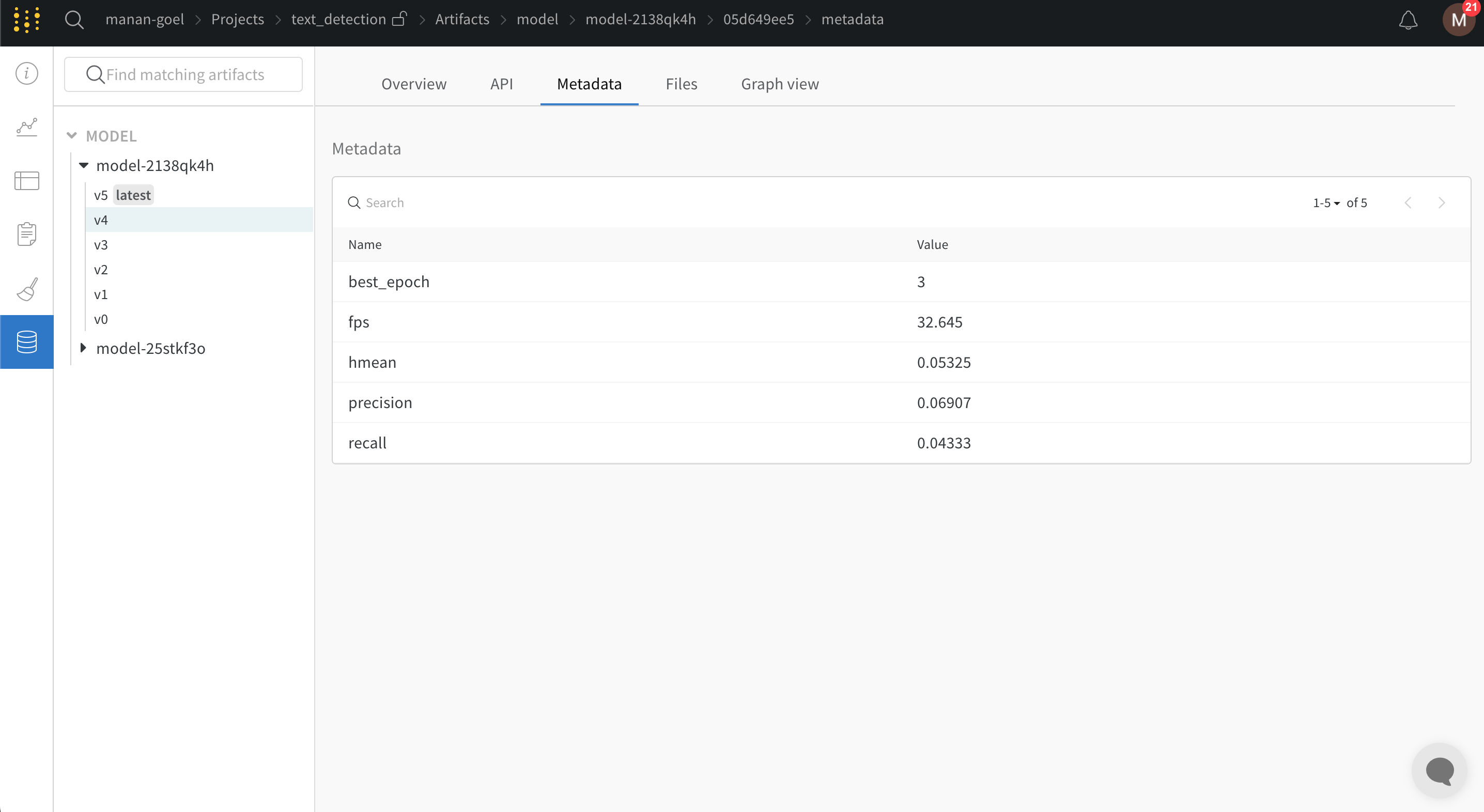
PaddleOCR requires you to provide configuration variables using a YAML file. To enable W&B logging, add the following snippet at the end of the configuration YAML file. This setting configures PaddleOCR to automatically log all training and validation metrics to a W&B dashboard along with model checkpoints:
wandb.init() under the wandb header in the YAML file:
Pass the config.yml file to train.py
With W&B logging configured, start training by passing the YAML file as an argument to the training script available in the PaddleOCR repository.
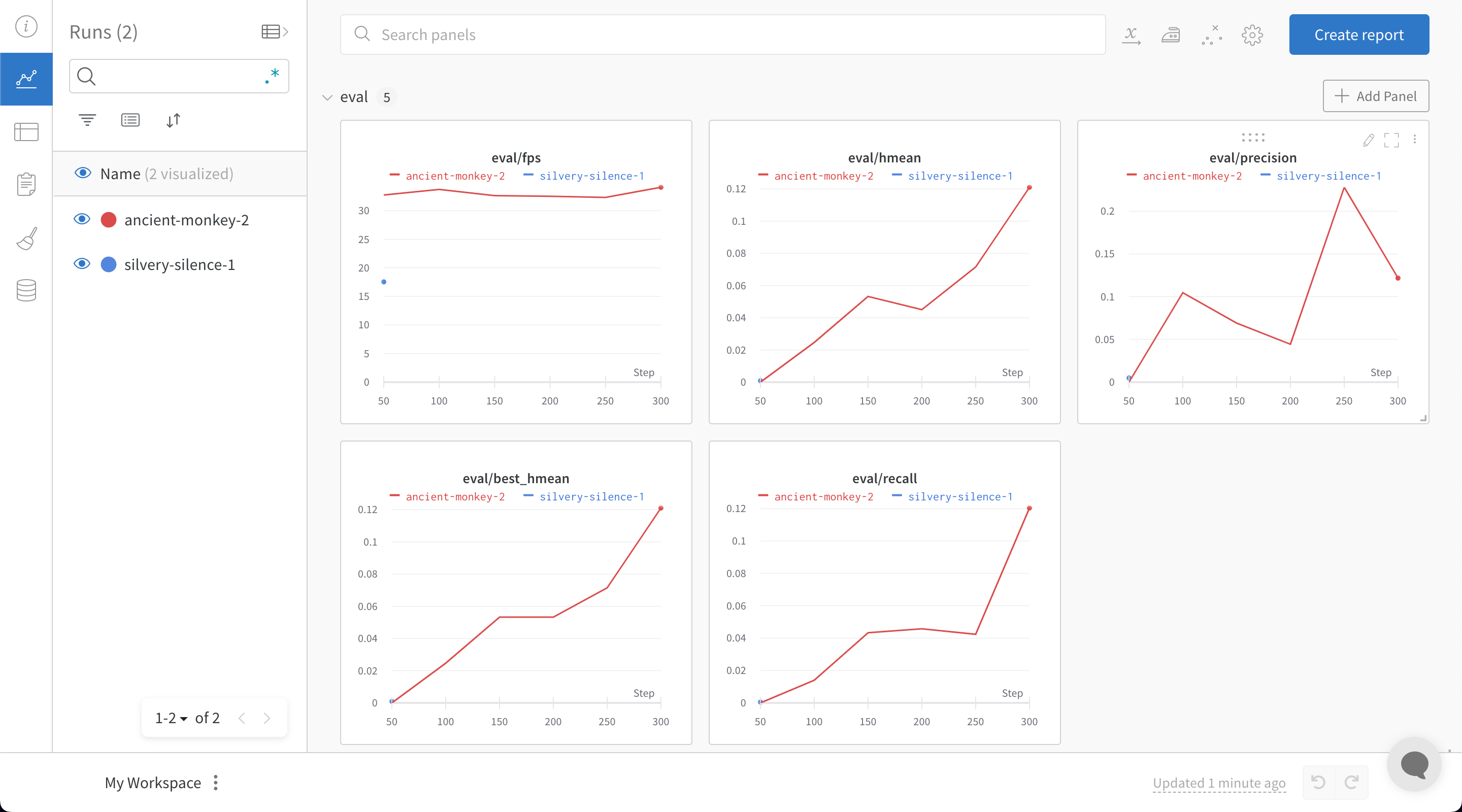
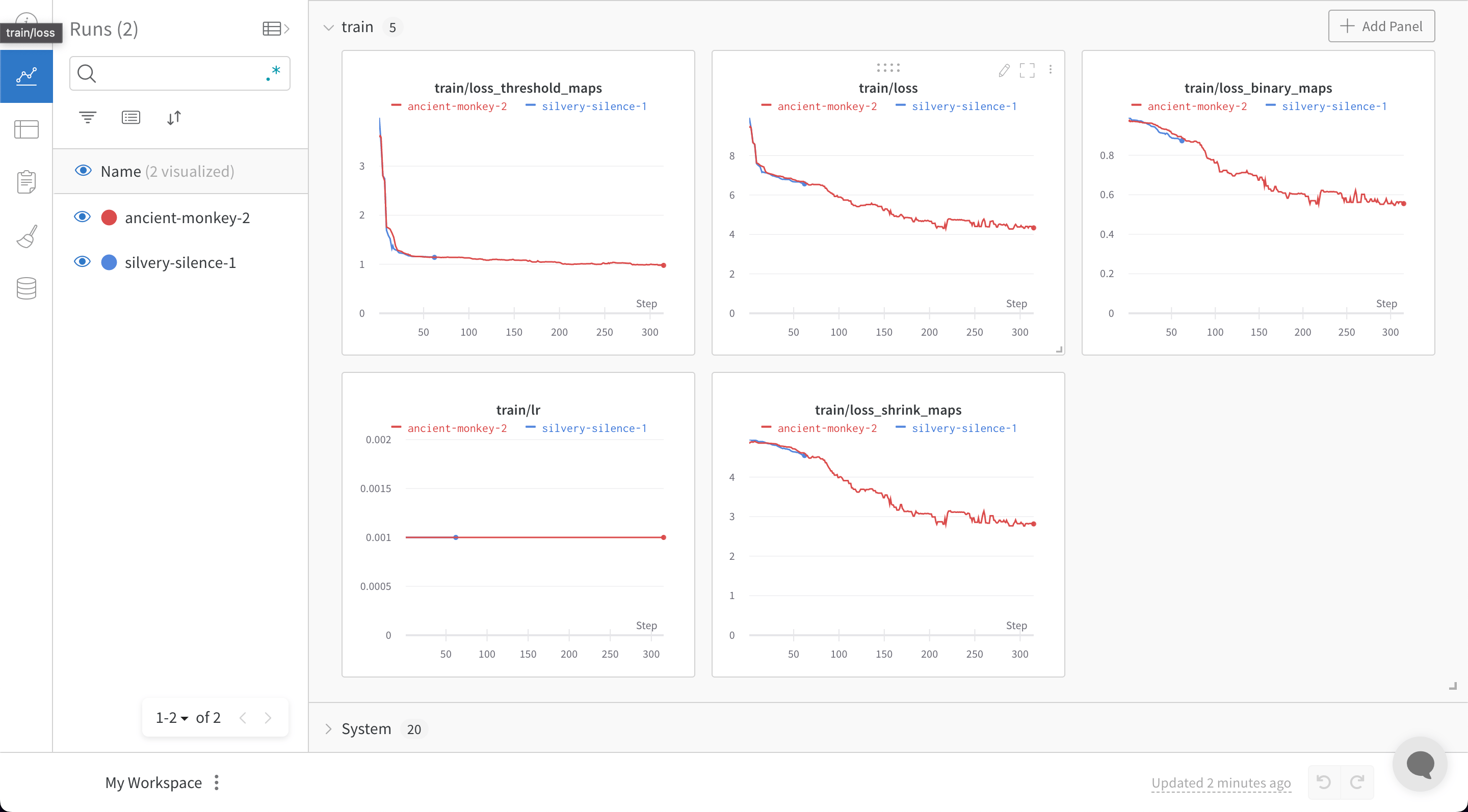
train.py file with W&B enabled, PaddleOCR generates a link to your W&B dashboard, where you can monitor training and validation metrics in real time: